We’ve all been there: a sudden summer afternoon thunderstorm rolls in, the sky turns a bruised purple, and then it happens. The lights flicker, your router blinks, and for a split second, your heart drops. In that moment of silence, the only thing you’re thinking about is your laptop. Did the equipment get fried by surges?
When your home is also your headquarters, your tech isn't just a collection of gadgets—it’s your livelihood. But here is the good news: protecting a $2,000 professional setup doesn't require a high-premium insurance policy or a massive electrical overhaul. It’s about one smart, intentional purchase. You can secure your peace of mind for under $20 if you know what to look for.
The "Silent Killer" of Productivity:
Most of us assume that "power surge protection for electronics" is only necessary when lightning strikes. While a direct strike is the most dramatic threat, it’s actually the "silent" surges that do the most damage.
Power surges are internal just as often as they are external. Every time your refrigerator cycles on or your air conditioner kicks into high gear, it sends a mini-spike of electricity through your home’s wiring. These aren't enough to blow a fuse, but they are enough to cause cumulative damage to the sensitive motherboards and batteries in your laptop and docking station.
In a corporate office, industrial-grade suppressors handle this. At home, you are the IT manager. Taking a proactive approach to WFH security is the ultimate frugal living win—because the cheapest laptop repair is the one you never have to pay for.

Power Strip vs. Surge Protector: Know the Difference Before You Buy
It’s the most common "budget" mistake: grabbing a $5 plastic strip from the grocery store checkout lane. While it looks like it provides power surge protection for electronics, it might just be a "power strip."
The Power Strip
Essentially a fancy extension cord. It gives you more outlets but offers zero protection against voltage spikes.
The Surge Protector
Contains a component called a Metal Oxide Varistor (MOV). This acts as a pressure-relief valve, sensing excess voltage and diverting it safely into the ground wire before it reaches your computer.
Before you assume you’re safe, check your current gear. If it doesn't explicitly state a "Joule Rating" on the back, it’s likely just an extender, leaving your gear vulnerable.
Decoding the Specs: How Many Joules Do You Actually Need?
Shopping for tech can feel like learning a second language, especially when you’re trying to choose a multiple outlet surge protector without overspending. To keep things simple, focus on three core metrics that actually matter—and ignore the rest.
Understanding Joule Ratings
First, look at the joule rating, which tells you how much energy the protector can absorb before it fails. Around 1,000 joules is typically perfect for basic laptops and printers, while 2,000+ joules is the sweet spot for high-end desktops or dual-monitor setups. Ratings above 3,000 joules are usually intended for home theater systems and aren’t necessary for most home offices.
Clamping Voltage and Response Time
Next is clamping voltage, which acts as the trigger point for protection. Lower numbers are better here. A rating of 330 volts is excellent because it means the surge protector reacts more quickly when voltage spikes occur. Finally, check the response time. You’ll want to see “nanosecond” protection listed, since electricity moves fast and your protection needs to respond just as quickly.
From a lifestyle and budget perspective, resist the urge to get upsold on 4,000-joule “pro” models if you’re setting up a modest student or work-from-home desk. A reliable unit with around 1,200 joules is often the best surge protector under $20 and provides more than enough security for a standard laptop setup.
Signs Your Surge Protector is Bad (And Why They "Expire")
Surge protectors are often described as the “sacrificial lambs” of the tech world because they’re designed to take the electrical hit so your computer doesn’t have to. That built-in protection, however, isn’t permanent.
The "One and Done" Rule
There’s a practical “one and done” rule to remember: if you’ve experienced a major power outage or a nearby lightning strike, your surge protector may have already exhausted its protective capacity—even if your devices still power on.
Warning Lights and Physical Red Flags
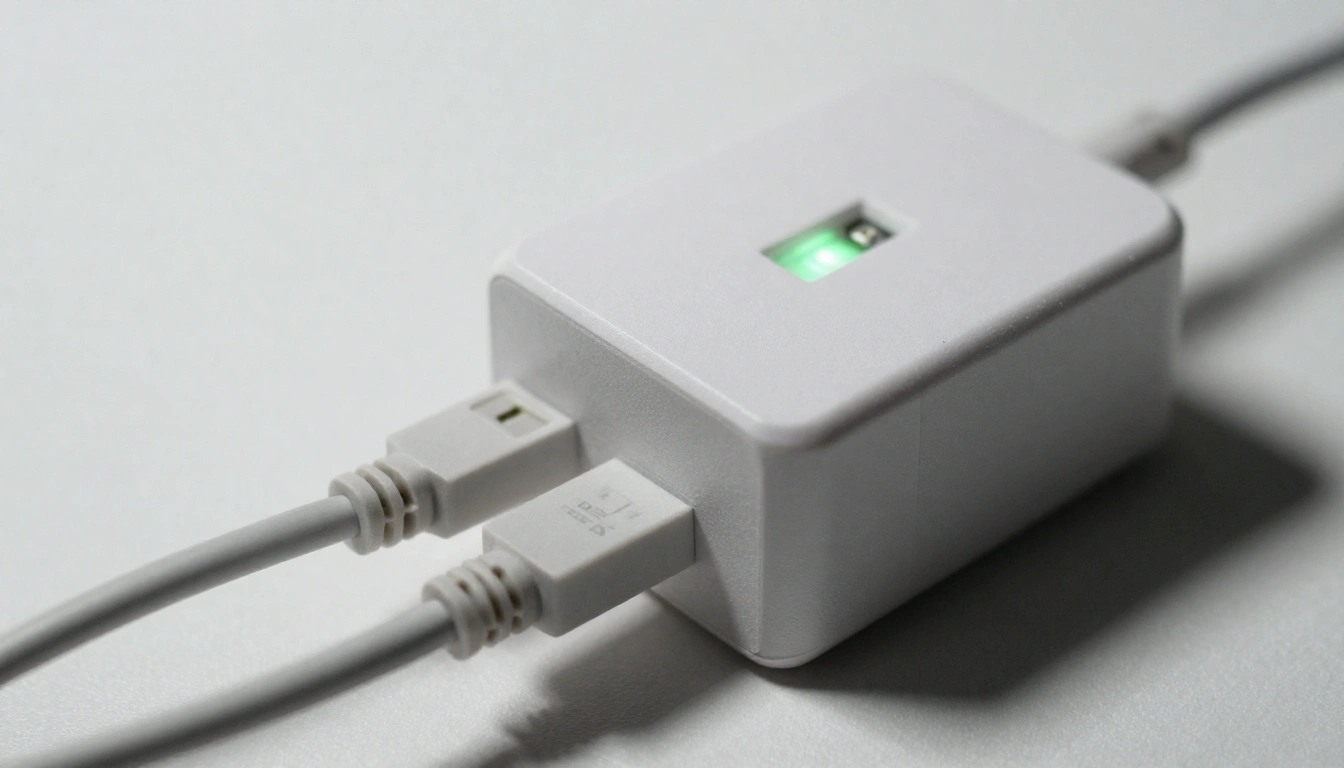
The warning lights are another key signal. Most modern units include a small “Protected” LED. When that light goes out, the surge protection is no longer active, and the strip is essentially functioning as a basic power cord. At that point, replacement is the safest choice.
You should also watch for physical red flags. If the casing feels hot to the touch or you notice a faint buzzing sound, unplug the unit immediately, as these are signs of internal wear.
The Hidden Warranty Benefit
From a smart shopping perspective, it’s worth knowing that many reputable brands include a lifetime connected equipment warranty. If a properly plugged-in device is damaged by a surge, the manufacturer may reimburse repair or replacement costs. To make this “free” layer of insurance work for you, always register your surge protector after purchase and keep a copy of the receipt.
The $20 Shopping Strategy: Finding Quality for Less
You don’t need a massive budget to find a high-quality surge protector—you just need to shop with intention.
Buy in Bundles and Check Open-Box Deals
A pro move is to think in pairs. Many online stores offer two-packs for around $25–$30, which brings the cost per unit down to roughly $12–$15. That way, you can protect both your home office setup and your living room TV without doubling your spending.
Another smart tactic is to check warehouse or open-box listings on major retail sites. These products are often fully functional with nothing more than damaged packaging, and they’re frequently discounted by 20–30%.
Verify Safety Standards
Finally, don’t skip the safety check: always verify the UL 1449 certification. This label means the surge protector has been independently tested and meets established safety standards—an essential detail when you’re protecting expensive electronics on a budget.
Beyond the Plug: Cable Management and a Wellness-Focused Desk
Once you’ve secured your tech, take five minutes to address the "cable spaghetti" under your desk. Cable management tips aren't just about aesthetics; they’re about wellness. A cluttered workspace leads to a cluttered mind.
Use the mounting holes on the back of your surge protector to secure it to the underside of your desk or a wall. This keeps the floor clear, makes cleaning easier, and prevents accidental "daisy-chaining" (plugging one strip into another), which is a major fire hazard.
Conclusion
Protecting your career shouldn't be expensive. By spending $20 on a high-quality surge protector, you aren't just buying a piece of plastic; you’re buying the confidence to work through a storm without worry. Smart, intentional shopping is about choosing quality over quantity and safety over a "too-good-to-be-true" price tag. Secure your setup today—your future self (and your bank account) will thank you.

FAQ
Q: Can I plug a space heater into a surge protector?
No. High-wattage appliances like space heaters, hair dryers, and kettles should always be plugged directly into a wall outlet to prevent overheating and fire risks.
Q: How often should I replace my home office surge protector?
Generally, every 2–3 years. The MOVs inside wear down over time even from small, unnoticeable surges.
Q: Does a "protected" light actually mean it’s working?
Yes, but the moment that light goes out, the surge suppression is exhausted. The outlets will still provide power, but your gear is no longer shielded.
Q: Are expensive "Gold-Plated" surge protectors worth the extra cost?
Usually, no. For 90% of WFH setups, a standard UL-certified protector with a high joule rating at the $20 mark is all you need.